 Rydop
How to delete all photos on iPhone
Open Photos, tap Select, put your finger on the newest photo and slide it across the row and up the screen. The grid scrolls and keeps selecting until you let go. Then tap the trash button. Before you do, make sure that's really what you want, for two reasons: if iCloud Photos is on, the photos also disappear from iCloud and your other devices, and they still take up space for 30 days in Recently Deleted.

Check this before you delete everything
Look in Settings › [your name] › iCloud › Photos. If Sync this iPhone is on, your iPhone uses iCloud Photos, and Apple is clear about what that means: a photo you delete on one device is deleted in iCloud and on every device signed in to the same Apple Account. Apple's guide
- You want them gone everywhere? Go ahead. You have 30 days to change your mind.
- You only want them off this iPhone? Don't delete yet. Read how to delete photos from your iPhone but not iCloud.
- No iCloud Photos? Then the photos on the iPhone are probably the only copy. Copy the ones you want to keep to a computer or another service first.
Where the photos go when you delete them
Library
You select and delete.
Recently Deleted
Kept for 30 days. You can still recover them.
Gone for good
After 30 days, or when you empty the album.
Select all photos and delete them
- Open Photos and scroll to the newest photo at the bottom of the library.
- Tap Select.
- Put your finger on that newest photo and, without lifting it, slide left across the row and then up. Each row you pass is selected.
- Hold your finger near the top of the screen. The library scrolls up on its own and keeps selecting. With thousands of photos this takes a minute, so keep holding.
- Let go when you reach the top, tap the trash button and confirm.
You can also delete all photos of one type at once. Under Collections › Media Types there are albums such as Screenshots and Videos, and the same select-and-slide works there.
Select everything with one long slide
- Tap Select
- Start on the newest photo
- Slide left, then up
- Hold near the top and let it scroll
Empty Recently Deleted to get the space back
Deleted photos and videos wait 30 days in Recently Deleted before iOS removes them. Until then they still use storage on your iPhone and in iCloud.
- In Photos, tap Collections, scroll to Utilities and tap Recently Deleted.
- Tap View Album and unlock with Face ID, Touch ID or your passcode.
- Tap Select, then the More button (•••), then Delete All.
- Confirm. With iCloud Photos the button says Delete from All Devices.
After this you can't get them back. Apple's guide
Selling or giving away the iPhone? Erase it instead
Don't delete your photos one by one before you sell the phone. While you're signed in to iCloud, Apple warns, deleting them by hand removes them from iCloud too. The right way leaves iCloud alone:
- Back up the iPhone.
- In Settings, tap your name and sign out of your Apple Account.
- Go to Settings › General › Transfer or Reset iPhone › Erase All Content and Settings.
That wipes everything on the phone, photos included, and your library stays in iCloud for your next iPhone. Apple's checklist
If the trash button is gray
Photos that were synced to the iPhone from a computer with the Finder or iTunes can't be deleted on the iPhone. Stop syncing photos from the computer, and they disappear from the iPhone. In a Shared Library, only the person who added a photo can delete it for good.
Not all of them, just most?
Often what you really want is the space back, not an empty library. Rydop does the sorting for you. It finds duplicates and similar shots, old screenshots and large videos, and lets you swipe through your camera roll one month at a time: left to delete, right to keep. Nothing is deleted until you tap the button and confirm when iOS asks, and deleted photos land in Recently Deleted as usual.
Rydop costs $1.99 once. There's no subscription and no account, and nothing is uploaded. If videos are what fill the phone, start with how to find large videos on iPhone.
 1One month at a time2Swipe left or tap to delete
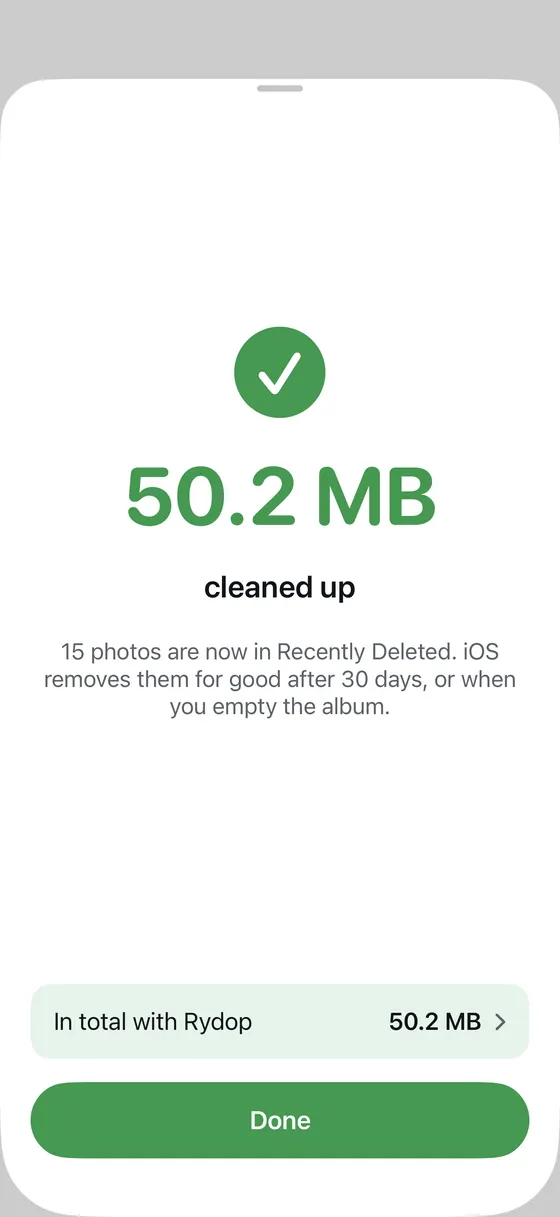 3Now in Recently Deleted4Space you got back
- One month at a time
- Swipe left or tap to delete
- Now in Recently Deleted
- Space you got back